
Summary
Caching is temporary memory for computers. It stores the results of a rendered page so the computer doesn't have to do that work every single time someone visits a page.
In technical terms:
- The Request: When you visit a website (like a Drupal site), your browser asks the server for a page.
- The Work: Normally, the server has to "build" that page. It talks to a database, pulls out images, runs code and figures out what everything should look like. This takes time (and computer power).
- The Cache: Instead of throwing that work away once the page is sent to you, the server saves a "snapshot" of the finished HTML page in a temporary storage area called a cache.
- The Result: When the next person visits that same page, the server doesn't rebuild it. It just grabs the "snapshot" and sends it immediately.
Why do we use it?
- Speed: Pages load in milliseconds instead of seconds.
- Efficiency: The server doesn't have to work as hard, so it can handle more visitors at once.
- SEO: Google prefers fast websites, so caching helps the site show up higher in search results.
Image
The Catch (The "Stale" Cache)
The only problem is if the information changes. If the data for the page changes, the cached page is now wrong. This is called a stale cache. Developers have to "clear the cache" whenever they make updates to the site so the server knows to create a new cached page.
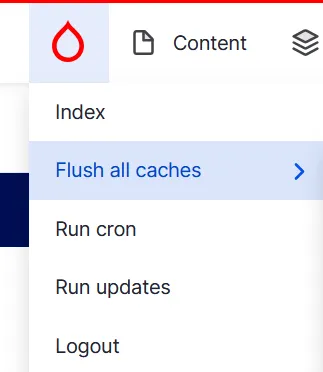
Anytime a page or menu is published, the page is automatically flushed and rebuilt. If we need to clear the cache manually, site administrators have the ability to do it via the admin control area.