
Publishing content in SUpal requires creating or editing a content item, then setting its publication status using the controls located in the upper right-hand corner of the content editing page.
Image
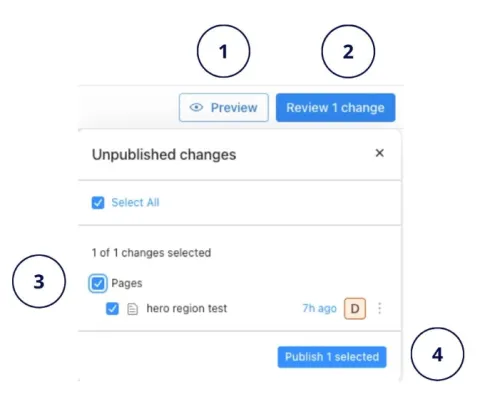
- Preview: Locate the Preview button to review your content before publishing. This will ensure your content looks the way you want before going live.
- Review Changes: Select the Review Changes button. This action opens a window (like the one shown below) that allows you to preview, review and select the specific changes you want to apply.
- Select Update: Select the checkbox corresponding to the update you want to publish.
- Publish: Ensure the Published checkbox is checked. While new content types often default to published, you can always change this status.